
AI Prompts

AI Prompt Examples: 70+ Best ChatGPT Prompts to Copy & Paste (2026)

AI Prompts ·12 min read ·English
Quick answer

AI prompt examples are ready-made instructions you give ChatGPT or Gemini to get useful, specific answers instead of generic ones. The best prompts set a role, task, context, and format — and this page gives you 70+ copy-paste examples for writing, marketing, business, coding, study, and daily productivity.

Most people type a one-line question into ChatGPT and get a bland answer. The secret isn’t a “magic” prompt — it’s structure. Tell the AI who to be, what to do, with what context, and in what format, and the quality jumps. Below is the formula, then 70+ prompts you can copy and adapt in seconds. For visuals, pair this with our AI image prompts guide.

The AI prompt formula (RTCF)

Four parts turn a weak prompt into a strong one:

  1. Role — who the AI should act as (“Act as an experienced SEO copywriter”).
  2. Task — exactly what you want (“write 5 meta descriptions”).
  3. Context — the background it needs (“for a Coimbatore digital marketing academy targeting beginners”).
  4. Format — how the answer should look (“as a numbered list, each under 155 characters”).
Act as [role]. [Task]. Context: [your situation]. Give the answer as [format].

Don’t ask a question. Give an assignment — with a role, a task, context, and a format.

Writing & content prompts

Act as a professional blog writer. Write a 600-word, beginner-friendly blog intro about [topic] in a warm, clear tone. Start with a relatable hook and avoid jargon.
Rewrite the following paragraph to be clearer and more concise without losing meaning. Keep it under 100 words: [paste text].
Give me 10 catchy, SEO-friendly blog title ideas for the keyword “[keyword]“. Mix how-to, listicle, and question formats.
Act as an editor. Proofread this text for grammar, spelling, and flow. Return the corrected version, then a short bullet list of what you changed: [paste text].
Summarise this article into 5 key bullet points a busy reader can grasp in 30 seconds: [paste text or URL content].
Write a 150-word “About Me” bio for a freelance [profession], in first person, confident but friendly.

Marketing & social media prompts

Act as a social media manager. Create a 7-day Instagram content plan for a [business type], with a post idea, caption, and 5 hashtags for each day.
Write 5 high-converting Facebook ad headlines and primary texts for , targeting [audience]. Keep each headline under 40 characters.
Give me 15 content ideas for a YouTube channel about [topic], grouped into beginner, intermediate, and advanced.
Write an email newsletter (subject line + 200-word body) announcing [offer/news], with one clear call to action.
Turn this blog post into a LinkedIn post with a strong hook, 3 short takeaways, and a question to drive comments: [paste summary].
Act as a brand strategist. Suggest 10 brand name ideas for a [type] business, each with a one-line reason and whether a .com is likely available.

Want a tested library of prompts, organised and ready?

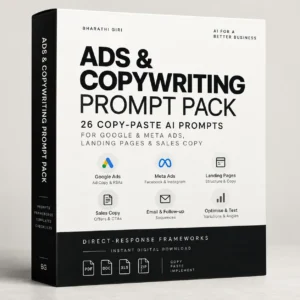
My AI prompt packs collect the best prompts for marketing, business, and content — categorised, tested, and formatted for ChatGPT & Gemini. Grab them from the shop, or read our best ChatGPT prompts guide first.

Browse the prompt packs →

Business & productivity prompts

Act as a business consultant. Give me a simple one-page business plan for [idea], covering target customer, offer, pricing, and first 3 marketing steps.
Draft a professional email politely following up on an unanswered proposal sent to a client 1 week ago. Keep it warm and under 120 words.
Turn these messy meeting notes into clear minutes with decisions, action items (owner + due date), and open questions: [paste notes].
Act as my productivity coach. Help me plan my day around these tasks using time-blocking. Prioritise by impact: [list tasks].
Create a simple SOP (standard operating procedure) for [repetitive task] as a numbered checklist anyone on my team can follow.
Write 5 interview questions to assess a candidate for a [role], plus what a strong answer to each would include.

Coding & tech prompts

Act as a senior developer. Explain this code line by line in simple terms, then suggest one improvement: [paste code].
Write a [language] function that [does X]. Add comments and a short example of how to call it.
I’m getting this error: [paste error]. Here’s the relevant code: [paste code]. What’s the likely cause and how do I fix it?
Act as a QA tester. List edge cases and test scenarios I should check for a [feature] before launch.
Explain [technical concept] to me like I’m a complete beginner, using one everyday analogy.

Study & learning prompts

Act as a patient tutor. Teach me [topic] step by step, check my understanding with a question after each step, and wait for my answer.
Create a 7-day study plan to learn the basics of [subject], assuming I can spend 1 hour a day. Include free resources.
Turn this chapter into 10 flashcards (question on one side, short answer on the other): [paste text].
Quiz me with 5 multiple-choice questions on [topic]. Ask one at a time, wait for my answer, then tell me if I’m right and explain.
Explain the difference between [A] and [B] in a simple table with examples.

Everyday life prompts

Plan a healthy, budget-friendly vegetarian meal plan for one week with a shopping list. Indian cuisine, roughly [budget].
Help me draft a polite message to reschedule an appointment without sounding unreliable.
Suggest a 20-minute beginner home workout with no equipment, and tell me what each exercise targets.
Act as a travel planner. Create a 3-day itinerary for [destination] for a family with kids, balancing sightseeing and rest.
Help me write a heartfelt but short birthday message for my [relationship], warm and personal.

Pro tips for better AI answers

  • Give it a role. “Act as a…” instantly sharpens the tone and expertise.
  • Add context. The more it knows about your situation, the better the answer.
  • Specify the format. Ask for a table, list, word count, or tone.
  • Iterate. If the first answer is off, say what to change rather than starting over.
  • Ask it to ask you. “Ask me any questions you need before answering” gets far better results.
  • Always verify facts. AI can sound confident and still be wrong — check anything important.

Remember: AI is an assistant, not an authority. Use it to draft, brainstorm, and speed up — then apply your own judgment, especially for anything factual, legal, financial, or medical.

Key takeaways
  • Use the RTCF formula: Role + Task + Context + Format.
  • Copy the 70+ examples above and swap in your details.
  • Add a role and context for a big quality jump.
  • Iterate and refine instead of restarting.
  • Always verify important facts before you act on them.

Frequently asked questions

What are AI prompt examples?

AI prompt examples are ready-made instructions you give a tool like ChatGPT or Gemini to get useful, specific answers. Good examples set a role, task, context, and format so the AI produces something you can actually use instead of a generic response.

What is the best ChatGPT prompt formula?

The RTCF formula: Role (who the AI should act as), Task (exactly what you want), Context (the background it needs), and Format (how the answer should look). For example: “Act as an SEO copywriter. Write 5 meta descriptions for a Coimbatore academy, as a numbered list under 155 characters.”

Are these prompts free to use?

Yes — every prompt on this page is free to copy, paste, and adapt. If you want a larger, organised, tested library sorted by category, our prompt packs in the shop save you time, but you can get great results from these examples alone.

Do the same prompts work in ChatGPT and Gemini?

Mostly yes. The RTCF structure works across ChatGPT, Gemini, Claude, and most AI assistants. You may need small tweaks for each tool’s style, but the core prompt stays the same.

How can I make ChatGPT give better answers?

Give it a role, add context about your situation, specify the format you want, and iterate by telling it what to change. You can also ask it to ask you clarifying questions before it answers — this single trick dramatically improves quality.

Can I trust everything AI tells me?

No. AI can sound confident and still be wrong, so always verify anything important — especially factual, legal, financial, or medical information. Treat AI as a fast assistant for drafting and brainstorming, then apply your own judgment.